
How IBM is making computers more like your brain. For real
Category: Odds and Ends
Article: Fossil Find Points To A Streamlined Human Lineage
Fossil Find Points To A Streamlined Human Lineage
http://www.npr.org/2013/10/17/236171952/fossil-find-points-to-a-streamlined-human-lineage
Article: If Landlines Disappear, What Happens in a Blackout?
If Landlines Disappear, What Happens in a Blackout?
Is this the end of NoSQL?
If it is, you read it here first!
I posted this article on my other (work related) blog.
I think the future for NoSQL isn’t as bright as a lot of pundits would have you believe. Yes, Yes, I know that MongoDB got a $1.2 billion valuation. Some other things to keep in mind.
- In the heyday of OODBMS, XML DB, and OLAP/MDX, there was similar hype about those technologies.
- Today, more and more NoSQL vendors are trying to build “SQL’isms” into their products. I often hear of people who want a product that has the scalability of NoSQL with transactions and a standard query language. Yes, we have that; it is called a horizontally scalable RDBMS!
Technologies come and technologies go but the underlying trends are worth understanding.
And the trends don’t favor NoSQL.
Ingesting data at over 1,000,000 rows/second with MySQL in Amazon’s cloud!
I just posted this article on my other (work related) blog.
http://www.parelastic.com/blog/ingesting-over-1000000-rows-second-mysql-aws-cloud
Just to be clear, this was with standard MySQL, InnoDB, and with machines in Amazon’s cloud (AWS).
The data was inserted using standard SQL INSERT statements and can be queried immediately using SQL as well. All standard database stuff, no NoSQL tomfoolery going on.
This kind of high ingest rate has long been considered to be out of the reach of traditional databases; not at all true.
Article: Are cloud platforms saying goodbye to the hypervisor?
Are cloud platforms saying goodbye to the hypervisor?
Article: The Best Pizza In 10 Big Cities Around The US
The Best Pizza In 10 Big Cities Around The US
http://www.businessinsider.com/the-best-pizza-joints-in-10-us-cities-2013-10
AWS REST API in C
It turns out that not a lot of people attempt to program against the AWS REST API in C. I discovered this the hard way when I needed to do it.
You’d have thought that there would be some libraries for it; turns out that this isn’t the case.
libs3 is one but it isn’t particularly general purpose. And S3 turns out to be surprisingly unlike EC2 and other services. Also, Amazon’s own documentation is surprisingly bad.
So if you end up here because you want to interact with AWS in C, the tips below may help you.
I used libcurl; I’m sure you could do the same thing some other way …
The trick is in computing the signature of the request.
Assume that you want to execute the DescribeInstances API call.
You need to construct a signing request which must basically include an unambiguous representation of the API request. Since you may have many parameters to the API request, you must sort the parameters into alphabetical order first.
1. Construct the timestamp this way:
 411     static char * __aws_api_get_timestamp (char * buffer, int sz)
 412     {
 413         time_t t = time(NULL);
 414         struct tm * gmttime = gmtime (&t);
 415
 416         strftime (buffer, sz, "%FT%H:%M:%SZ", gmttime);
 417         return buffer;
 418    }
2. Every signing request must have 5 AUTHPARAMS; the documentation talks about 4 but there are 5 …
Version: This is the API Version. I've used 2013-08-15
SignatureVersion: I use 2
SignatureMethod: I use HmacSHA256
Timestamp: As computed above.
AWSAccessKeyId: Your AWS Access Key
While it isn’t an AUTHPARAM, you also need the Action in a signing request. That is the API name.
3. Construct the signing request.
The signing request takes the following format.
%sn%sn%sn%s
where the four strings are (in order)
(a) The submission method (POST or GET)
(b) The endpoint
(c) The path
(d) The request URL.
So, for my DescribeInstances request, the signing request is.
POSTnec2.amazonaws.comn/nAWSAccessKeyId=AKIVP30P3L0A5NKGTIQ&Action=DescribeInstances&SignatureMethod=HmacSHA256&SignatureVersion=2&Timestamp=2013-10-13T20%3A55%3A06Z&Version=2013-08-15
Note that the method is POST.
The end point is ec2.amazonaws.com
The path is “/”
The request with the sorted attributes starts with my AWSAccessKeyId (no, that’s not my access key …) the Action which is DescribeInstances, and the other AUTHPARAMS.
Note that the string was escaped the way a URL would be escaped; you can see that in the timestamp.
You can now compute the signature for this; I used HMAC. Once you compute the signature for the request, you base64 encode the signature.
4. Construct the Request URL
This is nothing more than the request URL in the signing request with the base64 encoded signature tacked on. Of course, there’s no requirement that in the API parameters in the final request URL be alphabetically sorted.
That’s all there is to it!
Samsung Galaxy Note 8″ now $299 at Staples
I’m not sure whether this is a mistake or not but Staples stores are selling the Samsung Galaxy Note 8″ for $299.
The Web site still has the $359 price but stores are willing to honor the price for an online order.
I just got Best Buy to match the price 😉
U.S. Broadband Users Are Mostly White, College Grads Under 50 Making At Least $50,000
In historic vote, New Zealand bans software patents
Wi-Fi patent troll hit with racketeering suit emerges unscathed
In India, Distribution is God
http://feeds.harvardbusiness.org/~r/harvardbusiness/~3/klg5cuIqJF8/in_india_distribution_is_god.html As awesome little post from the Harvard business review blog about distribution channels in India.
What Your Personal Email Address Says About You
http://www.hightechinthehub.com/2012/07/what-your-personal-email-address-says-about-you/
A form of profiling that isn’t illegal!
CERN announces discovery of new particle consistent with Higgs boson
http://tech4b.blogspot.com/2012/07/cern-announces-discovery-of-new.html
It didn’t take long with the LHC!
Excuse Me Sir, I Think That’s My Seat!
http://the-gadgeteer.com/2012/07/03/excuse-me-sir-i-think-thats-my-seat/ Now, that’s a good idea! Very topical, if you want to save your seat to watch the fireworks today!
Volt Buckle – please drop your pants to charge your #smartphone
http://the-gadgeteer.com/2012/07/02/volt-buckle-the-worlds-first-and-only-wearable-mobile-device-wall-charger/ Would you tape of your pants to charge your smartphone?
When #cloud storage costs drop to $0.01 Per Gigabyte Per Month
http://www.hightechinthehub.com/2012/07/penny-per-gigabyte-per-month/ Interesting article. Can’t wait for that day!
Experts say facebook while driving more dangerous than DUI!
From an article in the Connecticut Post, see complete article here.
Really, we need a study by experts to tell us this?
In addition to the new law in Massachusetts, here are some other tough laws about distracted driving.
New Jersey: the “Kulesh, Kubert and Bolis Law,” after three distracted-driving victims.
The bill allows prosecutors to charge drivers who kill or injure someone with vehicular cellphone or assault by auto. It makes driving while illegally using the phone “reckless” instead of “careless” driving, a necessary change to allow for vehicular homicide, a felony, to be charged.
Utah:
Utah law treats driving while intoxicated with a .08 blood-alcohol level and driving while using a handheld cellphone the same.
Penalties can be as harsh as 15 years in prison.
Personal VPN How-To: PPTP
I’ve been annoyed by the fact that public internet providers are slipstreaming content, and also that accessing public internet access points is a potential security risk. I refer, for example to this earlier post on my blog. For some time now I have been muttering about a personal VPN and some months ago I setup one for myself. It has worked well and over the past several months I have occasionally tweaked it a bit to make it more useful. Others may have a similar interest so here is a simple how-to that will give you an inexpensive personal VPN.
Basics
There is a wealth of information about VPN’s and PPTP on the web. I refer you to the Wikipedia articles in particular, this one on the subject of VPN’s and this one on the subject of PPTP. A good article about another kind of VPN called OpenVPN is found here. For my purposes, I have found PPTP to be satisfactory and have resisted the urge to upgrade to OpenVPN.
Platform choice
I implemented my VPN solution two ways. The first was using my home Ubuntu machine as the VPN server. The second was using an instance in the Amazon EC2 cloud. I will describe below the mechanism for implementing a VPN in the EC2 cloud and provide a small addendum on how you could do this with a server at home.
Cost

If you run the VPN the way I suggest, on a micro instance in Amazon’s EC2 cloud, the cost is very low. I run my instances as spot priced instances and invariably a t1.micro at spot price is less than a penny an hour.
Here is the price graph for some months, I’ve carefully cut the data for the last couple of days off because the power outages in the Amazon us-east AZ caused the price to jump to a dollar and that makes the graph less attractive 😉 Seriously, that is an aberration, my VPN server is setup with a price cap of $0.02 per hour and it died when then price shot up. I restarted it manually at the standard price when that happened.
In addition, depending on how much data you send over the VPN, you will also be assessed a charge for data transfer. I have found that to be minimal. Since I run my VPN on my personal Amazon account (we also use EC2 for work), I get the benefit of the Free tier for the first year and the VPN hasn’t exceeded the free tier usage at any time.
Of course, if you run the VPN on a server in your house, you don’t have to worry about these costs; all you have to ensure is that you can reach the VPN server from any place. More about that later.
The How-To
Step 1: Launch EC2 instance to customize VPN AMI
I launched an EC2 instance based on the stock 12.04 LTS AMI provided by Amazon. A t1.micro instance is more than sufficient for this purpose. If you are using some other cloud provider or are planning to do this on a machine at home, get yourself access to a machine that has some recent flavor of Ubuntu or Linux and to which you have root access.
If you are doing this in Amazon, you must first setup the security group for this instance, before you launch the instance. Skip forward to step 6 in this how-to and setup a security group as described there and launch your EC2 instance using that security group.
Step 2: Install and configure the VPN Software
sudo apt-get update
sudo apt-get install pptpd
The configuration itself is quite straightforward.
First you need to identify the range of IP addresses that will be used by your VPN. This includes the IP address that your VPN Gateway will use, and the IP addresses for the hosts that connect to the VPN Gateway. For a variety of reasons, I chose to set my VPN Gateway at 10.40.1.1 and the IP Addresses it gave out at 10.40.1.20-10.40.1.50. This setting is in/etc/pptpd.conf, edit using your favorite text editor, remember you must be root to do this.
localip 10.40.1.1
remoteip 10.40.1.20-50
Your PPTP Server will hand out IP Addresses and DNS settings to clients. It is a good idea to set DNS Server settings in the PPTP Server so that clients can do name resolution. This is done in /etc/ppp/pptpd-options, edit using your favorite text editor, remember you must be root to do this.
ms-dns 8.8.8.8
ms-dns 8.8.4.4
ms-dns 172.16.0.23
I chose to specify above that the PPTP Server should hand out the addresses of the Google public DNS Servers and the Amazon public DNS Server. You can use any servers you want.
Finally, configure the PPTP Server with login credentials. You can setup as many users as you want on the PPTP Server, I chose to setup three. For simplicity, let me call them user01, user02 and user03. I use a random password generation script to make up the passwords, something similar to the one described here.
User name and password are stored in the file /etc/ppp/chap-secrets. Edit it with a text editor and add lines line these into it, one per user that you wish to setup.
USERNAME pptpd PASSWORD *
So, I added the following three lines:
user01 pptpd osvCylQX *
user02 pptpd TIRUssa3 *
user03 pptpd nJ6ljIBf *
Using this handy little script
#!/bin/bash
echo "user01 pptpd osvCylQX *" | sudo tee -a /etc/ppp/chap-secrets
echo "user02 pptpd TIRUssa3 *" | sudo tee -a /etc/ppp/chap-secrets
echo "user03 pptpd nJ6ljIBf *" | sudo tee -a /etc/ppp/chap-secrets
At this point, your PPTP Server is mostly ready to go. Just a couple of more things to take care of.
Step 3: Enable IP Forwarding and NAT
IP Forwarding is not enabled by default on Ubuntu. You can do that by editing /etc/sysctl.conf and then updating the system. Uncomment this line in /etc/sysctl.conf:
net.ipv4.ip_forward=1
and update system configuration
sudo sysctl -p
Update /etc/rc.local and add the following two lines to make NAT work properly. Update the interface name to suit; I used eth0, you may have to use something else.
iptables -t nat -A POSTROUTING -o eth0 -j MASQUERADE
iptables -I FORWARD -p tcp --tcp-flags SYN,RST SYN -j TCPMSS --clamp-mss-to-pmtu
Step 4: Making your server accessible remotely.
If you are using a server in the cloud, or if you are using a home machine, there is a chance that it’s public IP address will change from time to time. For example, your server in EC2 may be restarted, your home ISP may reassign your IP Address etc., I use a Dynamic DNS system to make my servers always accessible. Personally, I have had good luck with the DDNS service provided by Dyn. Even if you choose to use their free trial to begin with, if you use your VPN at all, you will have no problem spending the $20 per year for this very good service.
sudo aptitude install ddclient
Most of the configuration you need will be done during the installation but just to be sure, go and look at the file /etc/ddclient.conf.
You can use the handy-dandy configurator at Dyn to get the right incantations.
My /etc/ddclient.conf file has the following in it.
## ddclient configuration file
daemon=3600
# check every 3600 seconds
syslog=yes
# log update msgs to syslog
mail-failure=<my email address> # Mail failed updates to user
pid=/var/run/ddclient.pid
# record PID in file.
## Detect IP with our CheckIP server
use=web, web=checkip.dyndns.com/, web-skip='IP Address'
## DynDNS username and password here
login=<dyn user name>
password='<dyn password>'
## Default options
protocol=dyndns2
server=members.dyndns.org
## Dynamic DNS hosts
<HOST NAME>
Step 5: Restart the PPTP server
This is the final step to get the things all up and running.
sudo service pptpd restart
And you should be up and running!
Step 6:Setting up your firewall for remote access.
Irrespective of whether you are using an Amazon EC2 instance of a machine in your own house, you will likely need to tweak your firewall to make things work correctly. Amazon calls the firewall a security group, configure it to allow incoming connections on TCP Ports 1723 (and 22 for SSH). I also open ICMP so I can ping it to make sure it is responsive. On Amazon I also tend to leave all ports open for loopback.
ICMP ALL 0.0.0.0/0
TCP 22 (SSH) 0.0.0.0/0
TCP 0-65535 (this security group)
TCP 1723 (PPTP) 0.0.0.0/0
UDP 0-65536 (this security group)
Note regarding in-home setup: You can ignore the last two for your in-home configuration. Depending on the router of network access device you have, you may have to setup port forwarding rules. See the documentation for your router/access point for details.
Testing
First, attempt to ping your server from a client machine. Shown here from my Windows PC.
C:Usersamrith>ping hostname.dyndns.org

Pinging hostname.dyndns.org [107.22.65.185] with 32 bytes of data:
Reply from 107.22.65.185: bytes=32 time=23ms TTL=46
Reply from 107.22.65.185: bytes=32 time=23ms TTL=46

Ping statistics for 107.22.65.185:
    Packets: Sent = 2, Received = 2, Lost = 0 (0% loss),
Approximate round trip times in milli-seconds:
    Minimum = 23ms, Maximum = 23ms, Average = 23ms
Control-C
^C
C:Usersamrith>
As you can see, my Dynamic DNS entry has worked and the name resolution is working correctly.
Then attempt to connect to the VPN. On Windows and Android this is relatively straightforward.I had a little trouble with Ubuntu. My Ubuntu machine is running 10.04 LTS, note that machines running versions of Ubuntu prior to 10.04 require additional configuration before you can make PPTP work properly.
Note for Ubuntu Users:
You may find that your VPN works properly from Windows and Android (for example) but it doesn’t work on Ubuntu. This is what happened for me.
You need to perform one additional configuration step on Ubuntu clients and that is to add a line into the chap-secrets file.
Here is what I have in my /etc/ppp/chap-secrets file on one of my Ubuntu client machines.
# Secrets for authentication using CHAP
# client        server  secret                  IP addresses
user01 pptpd osvCylQX *
It is basically the same line as you used in step 2 above.
With this line, connection from Ubuntu was effortless.
Finalizing your configuration
The setup above will come up automatically when the machine is restarted, it will automatically register with Dynamic DNS and should work well for you. For users of Amazon EC2, one final step remains.
Step 7: Make an image of your VPN Server
Use either the GUI or the ec2- CLI and make yourself an AMI. Then you can setup a script that will launch a persistent spot request for a t1.micro server using that AMI.
Once you make an AMI, shutdown the VPN server you created above and launch your AMI, I use this script.
#!/bin/bash

ec2-request-spot-instances -t t1.micro ami-<id goes here> --price 0.02 --instance-count 1 -r persistent -k my-ec2-keypair -g vpn-security-group
As you can see, I launch a t1.micro instance and am willing to pay no more than 0.02 (2 cents) per hour and I want this request to be persistent. It has worked well for me.
Common problems
1. Some sites don’t work, others do.
I used to have this problem and tracked it down to an issue with packet sizing. You should not have this problem if you correctly followed step 3 above. The two commands for iptables (the second in particular) was something I added to fix this problem.
2. Problems connecting from Ubuntu.
I used to have this problem and the “Note for Ubuntu Users” in the Testing section was the response. If you are using Ubuntu prior to 10.04, you will need to follow the additional instructions here. It would be much easier if you upgraded 😉
3. After rebooting my VPN, I cannot access it OR
4. From time to time I am unable to access my VPN.
The first thing to do is to make sure that you are able to ping your VPN server. If you configured your firewall the way I proposed above, you should be able to do this. Use the same name that you are providing to your VPN connection. If you are unable to ping the server, you know to start looking outside your VPN server, if you are able to ping your VPN server, attempt to SSH to it and make sure you are able to connect to it. This latter step is important because you want to make sure that you are in-fact pingingyour VPN server, not one that happens to be responding to the name you provided.
If you are able to SSH to the VPN server but not connect to it using a VPN client, it is time to start looking at the log files from the VPN server (/var/log/syslog) and troubleshooting your configuration.
I’ve generally found that if the initial AMI you setup works well, it is easiest to just restart the VPN server and go from there.
Laptop vs Mobile (from Fred Wilson’s blog)
http://feedproxy.google.com/~r/AVc/~3/v2vGh2MaFdA/laptop-vs-mobile.html
Interesting post. Now that I’m traveling more, I do face this dilemma.
The tablet (I’m using to post this) doesn’t cut it as a travel device. Not does the droid x2, nor my netbook. But since the option is straining my back and lugging a laptop along, I am making do with a netbook when I travel.
A universal dock in hotel rooms would be great. Better voice transcription would make devices better, even this tablet!
Bits: Hotel’s Free Wi-Fi Comes With Hidden Extras
http://feeds.nytimes.com/click.phdo?i=17c42a2b88a00d5651357aafaa48daae
There is no such thing as a free WiFi … If they can insert ads, what else can they insert?
Widespread Virus Proves Macs Are No Longer Safe From Hackers
My heart bleeds for all MAC users who for years thumbed their noses at us Windoze folks.
Welcome to the party!
So Many Conferences – How Do I Choose?
http://feedproxy.google.com/~r/FeldThoughts/~3/qVn2ysRHRqY/so-many-conferences-how-do-i-choose.html
Great post by Brad Feld with some very good advice on how to figure out which of the gazillion conferences, expos and shows to attend.
if this then that (@ifttt)
Great service called “if this then that” (ifttt). Allows you to create tasks based on specific triggers from one of about forty channels.
I’m thrilled that ‘starring an item’ in Google Reader is a channel.
When a trigger occurs, you can have ifttt generate a specified action.
I have one …
When I post this article, it will be automatically tweeted … Very cool, check them out!
My blog is all f’ed up
My blog has been all f’ed up for some time now, and I didn’t realize it. I’ve been reading stuff and tagging it on my tablet and in the past that used to make it pop up in an RSS feed that was displayed on my blog as ‘breadcrumbs’. But, somewhere along the way, all that fell apart.
- Maybe it was because something changed in the way the bit.ly links were shared.
- Maybe it was because the the ‘unofficial’ bit.ly client that I was using didn’t really work and therefore nothing made it to bit.ly and therefore to the RSS feed.
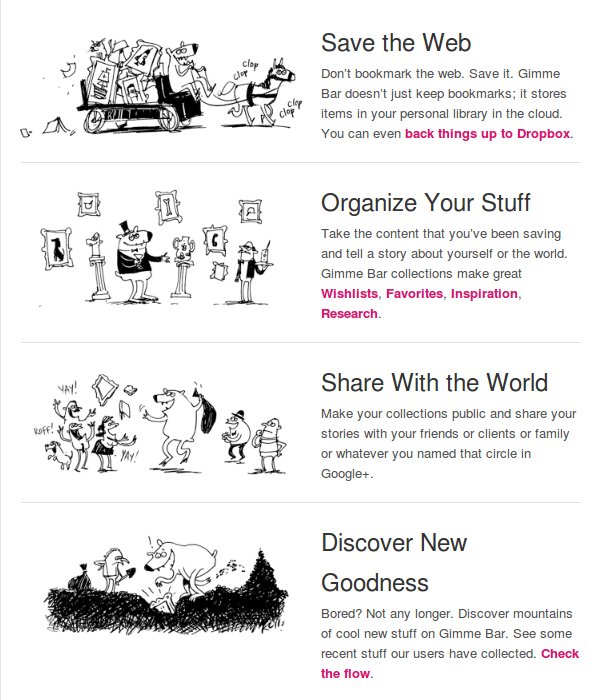
- And Gimmebar did one thing, and they did it well. But they didn’t do the next thing they promised (an android app).
So, from about November 2011 when Google went and wrecked Google Reader by eliminating the ‘share this’ functionality till today, all the stuff I’ve read and thought I shared is gone …
Time to use twitter as the sharing system. That seems to work. I don’t like it, but it will have to do for now.
Do one thing, and do it awesomely … Gimmebar!
From time to time you see a company come along that offers a simple product or service, and when they launch it just works.
The last time (that I can recall) when this happened was when I first used Dropbox. Download this little app and you got a 2GB drive in the cloud. And it worked on my Windows PC, on my Ubuntu PC, on my Android phone.
It just worked!
That was a while ago. And since then I’ve installed tons of software (and uninstalled 99% of it because it just didn’t work).
Last week I found Gimmebar.
There was no software to install, I just created an account on their web page. And it just worked!
What is Gimmebar? They consider themselves the 5th greatest invention of all time and they call themselves “a data steward”. I don’t know what that means. They also don’t tell you what the other 4 inventions are.
Here is how I would describe Gimmebar.
Gimmebar is a web saving/sharing tool that allows you to save things that you find interesting on the web in a nicely organised personal library in the cloud, and share some of that content with others if you so desire. They have something about saving stuff to your Dropbox account but I haven’t figured all of that out yet.
It has a bookmarklet for your browser, click it and things just get bookmarked and saved into your account.
But, it just worked!
I made a couple of collections, made one of them public and one of them shared.
If you share a collection it automatically gets a URL.
And that URL automatically supports an RSS Feed!
And they also backup your tweets, (I don’t give a crap about that).
So, what’s missing?
- Some way to import all your stuff (from Google Reader)
- An Android application (more generally, mobile application for platform of choice …)
- The default ‘view’ on the collections includes previews; I will have enough crap before long where the preview will be a drag. How about a way to get just a list?
- Saving a bookmark is right now at least a three click process; once you visit the site, click the bookmarklet and you get a little banner on the bottom of the screen, you click there to indicate whether you want the page to go to your private or public area, then you click the collection you want to store it in. This is functional but not easy to use.
I had one interaction with their support (little feedback tab on their page). Very quick to respond and they answered my question immediately.
On the whole, this feels like my first experience with Dropbox. Give it a shot, I think you’ll like it.
Why? Because Gimmebar set out to do one thing and they did it awesomely. It just worked!
Google went and broke Google Reader!
A very nice feature of Google Reader (my RSS reader of choice) was that there was a simple button at the bottom of each article called “Share”, and the current URL would be added to a list of shared articles and an RSS feed could be created of that list!
The breadcrumbs feature on my web page relied on that; as I read things, if I wanted to make them show up in breadcrumbs, all I did was to hit the Share button. If I visited some random URL and wanted to share that, I used the “Note in Reader” bookmarklet. All very good. Till Google went and broke it.
Now all I get is this:
This sucks!
Others seem to have noticed this as well. A collection of related news:
Trick or treat the google reader changes are coming tonight
Save the Google Reader petition
All you ever wanted to know about the CAP Theorem but were scared to ask!
I just posted a longish blog post (six parts actually) about the CAP Theorem at the ParElastic blog.
http://www.parelastic.com/database-architectures/an-analysis-of-the-cap-theorem/
-amrith
Embracing opposing points of view
In a blog aptly called “Both Sides of the Table”, I read a post entitled “Why You Should Embrace Opposing Views at Your Startup”.
It is a great post by Mark Suster and I highly recommend you read it.
If your startup lives in an echo chamber, and the only voice you hear is your own, it is most certainly doomed.
Dayton, OH embraces immigrants, cites entrepreneurship as a big draw

 Bucking a national trend, Dayton Ohio has taken the bold step to welcome immigrants. They published a comprehensive 32 page report describing the program that was approved some days ago.
Here are some quotes that I read that I found encouraging.
According to the city, immigrants are two times more likely than others to become entrepreneurs.
1. Focus on East Third Street, generally between Keowee and Linden, as an initial international market place for immigrant entrepreneurship. East Third Street, in addition to being a primary thoroughfare between Downtown and Wright Patterson Air Force Base, also encompasses an area of organic immigrant growth and available space to supportcontinuing immigrant entrepreneurship.
2. Create an inclusive community-wide campaign around immigrant entrepreneurship that facilitates startup businesses, opens global markets and restores life to Dayton neighborhoods.
Other coverage of this and related issues can also be found here:
Great post about fundraising for startups
I just read a great post about fundraising in startups.
A brief hiatus, and we’re back!
Since early last year when I posted my last blog entry, I’ve been a bit “preoccupied”. Around that time, I started in earnest on getting a start-up off the ground. It was a winding road, and I did not get around to writing anything on this blog. Over the past several months, I have been resurrecting this blog.
The old blog (there’s still a shell there) was called Hypecycles (https://hypecycles.wordpress.com) and try as I might, I could not get http://www.hypecycles.com for this blog.
What’s with “Pizza and Code”?
The last eighteen or so months have been spent getting ParElastic off the ground. The quintessential startup is two guys working in the garage, and subsisting on Pizza! The software startup is therefore two things, Pizza and Code!
What’s ParElastic?
ParElastic is a startup that is building elastic database middleware for the cloud. Want to know more about ParElastic? Go to http://www.parelastic.com. Starting ParElastic has been an incredible education, one that can only be acquired by actually starting a company.
Over the next couple of blog posts, I will quickly cover the two or so years from mid 2009 to the present.
Enjoy!
The Application Marketplace: Android’s worst enemy?
I recently got an Android (Motorola A855, aka droid) phone. I had been using a Windows based device (have been since about 2003). I was concerned about the bad reviews of poor battery life and the fact that Bluetooth Voice Dialing was not present. I figured that the latter was a software thing and could be added later. So, with some doubt, I started using my phone.
On the first day, with a battery charged overnight, I proceeded to surf the Marketplace and download a few applications. I got a Google Voice Dialer (not the one from Google), and a couple of other “marketplace” applications. I used the maps with the GPS for a short while and in about 8 hours the yellow sign of “low battery” came on. I had Google (GMAIL) synchronization set to the default (sync enabled).
Pretty crappy, I thought. My Samsung went for two days without a problem. I had activesync with server (Exchange) or GMail refresh every 5 minutes for years!
The Google Voice dialer I downloaded had some bugs (it messed up the call log pretty badly) and I got bored of the other applications I had downloaded.
Time for a hard reset and restart for the phone (just to be sure I got rid of all the gremlins. After all, I was a Windows phone user, this was a weekly ritual).
I got the update to Google Maps, set synch to continuous, downloaded the “sky map” application and charged the phone up fully. That was on Wednesday afternoon (17th). Today is the 20th and the battery is still all green on the home page.
The robustness of downloaded Android Apps
One of the things that makes the android phone so attractive (the application marketplace) is certainly a big problem. The robustness and stability of the downloaded applications cannot be guaranteed. We all realize that “your mileage may vary”. But, a quick look at the “Best Practices” on the android SDK site indicate that a badly written application can keep the CPU too busy and burn through your battery.
Maybe Android phones (and the battery life in particular) is more an issue of poorly written applications.
Apple (with the Macintosh) had a tight grip on the applications that could be released on the Mac. This helped them ensure that buggy software didn’t give the Mac a bad name. I’m sure Windows users can relate to this.
They seem to have the same control on the iPhone App Store. Maybe that’s why I don’t hear so much about crappy applications on the iPhone that crash or suck the battery dry!
Should Google take some control over the crap on the marketplace or will it all straighten itself out over time?
Punishment must fit the crime
I regularly read Dr. Dobbs Code Talk and noticed this article today. What caught my attention was not the article itself, but rather the first response to the article from Jack Woehr.
Reproduced below is a screen shot of the page that I read and Jack’s comments. Really, I ask you, is C# all that bad?

Microsoft patent 7617530, the flap about sudo
The blogosphere has been buzzing with indignation about a Microsoft patent application 7617530 that apparently was granted earlier this month. You can read the application here.
Yes, enough people have complained that this is like sudo and why did Microsoft get a patent for this. In fairness the patent does attempt to distinguish what is being claimed from sudo and provides copious references to sudo. What few have mentioned is that the thing that Microsoft patents is in fact the exact functionality that some systems like Ubuntu use to allow non-privileged users to perform privileged tasks.
In PC Magazine, Matthew Murray writes,
Because a graphical interface is not a part of sudo, it seems clear the patent refers to a Windows component and not a Linux one. The patent even references several different online sudo resources, further suggesting Microsoft isn’t trying to put anything over on anyone. The same section’s reference to “one, many, or all accounts having sufficient rights” suggests a list that sudo also doesn’t possess.
IMHO, they may be missing something here.
Let’s set that all aside. What I find interesting is this. The patent application states, and I reproduce three paragraphs of the patent application here and have highlighted three sentences (the first sentences in each paragraph).
Standard user accounts permit some tasks but prohibit others. They permit most applications to run on the computer but often prohibit installation of an application, alteration of the computer’s system settings, and execution of certain applications. Administrator accounts, on the other hand, generally permit most if not all tasks.
Not surprisingly, many users log on to their computers with administrator accounts so that they may, in most cases, do whatever they want. But there are significant risks involved in using administrator accounts. Malicious code may, in some cases, perform whatever tasks are permitted by the account currently in use, such as installing and deleting applications and files–potentially highly damaging tasks. This is because most malicious code performs its tasks while impersonating the current user of the computer–thus, if a user is logged on with an administrator account, the malicious code may perform dangerous tasks permitted by that account.
To reduce these risks, a user may instead log on with a standard user account. Logging on with a standard user account may reduce these risks because the standard user account may not have the right to permit malicious code to perform many dangerous tasks. If the standard user account does not have the right to perform a task, the operating system may prohibit the malicious code from performing that task. For this reason, using a standard user account may be safer than using an administrator account.
Absolutely! Most people don’t realize that they are logged in as users with Administrator rights and can inadvertently do damaging things.
My question is this: why is the default user created when you install Windows on a PC an administrator user? As you go through the install process, the thing asks you questions like “what is your name” and “how would you like to login to your PC”. It uses this to setup the first user on the machine. Why is that user an administrator user?
If you are smart (and if Microsoft really wanted to be good about this) the installation process would create two users. A day-to-day user who is non-Administrator, and an Administrator user.
I’m a PC and if Windows 8 comes up with an installation process that creates two users, a non-administrator user and an administrator user, then it would have been my idea. But, I don’t intend to go green holding my breath for this to happen. Someone tell me if it does.
A Report from Boston’s First “Big Data Summit”
A short write-up about last night’s Big Data Summit appeared on xconomy today.
My thanks to our sponsors, Foley Hoag LLP and the wonderful team at the Emerging Enterprise Center, Infobright, Expressor Software, and Kalido.
Wow! Google Documents can now share folders.
Wow! This is wonderful. Just logged into Google Documents and looked at the “cookie jar” space on the top right.

That’s cool! And you even get to tell Google where to put it!

Massachusetts Non-Compete Public Hearing
A quick update on the hearings on the non-compete legislation that was held today.
[On Sept 12, 2022 I’m salvaging this old post that I published on my old blog in 2009]
A quick update on the Public Hearings at the Joint Committee on Labor and Workforce Development held in Boston on October 7th, 2009.
Today I went to State House in Boston and testified before the Joint Committee on Labor and Workforce Development on the subject on Non-Competes in the state. The hearings today were dominated by bills that had to do with “paid sick days”. Here is the days agenda

If you were a mother and wanted to make the case for paid sick days to care for your child, what would be better than to bring your child with you when you are about to testify to the Committee on Labor and Workforce Development on a bill about paid sick days? To be fair, the child sat quietly and ate a peanut butter and jelly sandwich and at one point tried to help read out her mother’s prepared testimony.
After hearing the testimony from several people and seeing how many children there were in the room just drove home the point that many people made. When their children were sick, they had to take them along to work because they could not risk losing their jobs. That’s just wrong; I had assumed that most people had paid sick leave. Unfortunately, I learned today that this is not the case.

On MapReduce and Relational Databases – Part 1
Describes MapReduce and why WOTS (Wart-On-The-Side) MapReduce is bad for databases.
This is the first of a two-part blog post that presents a perspective on the recent trend to integrate MapReduce with Relational Databases especially Analytic Database Management Systems (ADBMS).
The first part of this blog post provides an introduction to MapReduce, provides a short description of the history and why MapReduce was created, and describes the stated benefits of MapReduce.
The second part of this blog post provides a short description of why I believe that integration of MapReduce with relational databases is a significant mistake. It concludes by providing some alternatives that would provide much better solutions to the problems that MapReduce is supposed to solve.
Continue reading “On MapReduce and Relational Databases – Part 1”
On MapReduce and Relational Databases – Part 2
This is the second of a two-part blog post that presents a perspective on the recent trend to integrate MapReduce with Relational Databases especially Analytic Database Management Systems (ADBMS).
The first part of this blog post provides an introduction to MapReduce, provides a short description of the history and why MapReduce was created, and describes the stated benefits of MapReduce.
The second part of this blog post provides a short description of why I believe that integration of MapReduce with relational databases is a significant mistake. It concludes by providing some alternatives that would provide much better solutions to the problems that MapReduce is supposed to solve.
Continue reading “On MapReduce and Relational Databases – Part 2”
Tell me about something you failed at, and what you learnt from it.
I have been involved in a variety of interviews both at work and as part of the selection process in the town where I live. Most people are prepared for questions about their background and qualifications. But, at a whole lot of recent interviews that I have participated in, candidates looked like deer in the headlight when asked the question (or a variation thereof),
“Tell me about something that you failed at and what you learned from it”
A few people turn that question around and try to give themselves a back-handed compliment. For example, one that I heard today was,
“I get very absorbed in things that I do and end up doing an excellent job at them”
Really, why is this a failure? Can’t you get a better one?
Folks, if you plan to go to an interview, please think about this in advance and have a good answer to this one. In my mind, not being able to answer this question with a “real failure” and some “real learnings” is a disqualifier.
One thing that I firmly believe is that failure is a necessary by-product of showing initiative in just the same way as bugs are natural by-product of software development. And, if someone has not made mistakes, then they probably have not shown any initiative. And if they can’t recognize when they have made a mistake, that is scary too.
Finally, I have told people who have been in teams that I managed that it is perfectly fine to make a mistake; go for it. So long as it is legal, within company policy and in keeping with generally accepted norms of behavior, I would support them. So, please feel free to make a mistake and fail, but please, try to be creative and not make the same mistake again and again.
Oracle fined $10k for violating TPC’s fair use rules
Oracle fined $10k for violating TPC’s fair use rules.
In a letter dated September 25, 2009, the TPC fined Oracle $10k based on a complaint filed by IBM. You can read the letter here.
Recently, Oracle ran an advertisement in The Wall Street Journal and The Economist making unsubstantiated superior performance claims about an Oracle/Sun configuration relative to an official TPC-C result from IBM. The ad ran twice on the front page of The Wall Street Journal (August 27, 2009 and September 3, 2009) and once on the back cover of The Economist (September 5, 2009). The ad references a web page that contained similar information and remained active until September 16, 2009. A complaint was filed by IBM asserting that the advertisement violated the TPC’s fair use rules.
Oracle is required to do four things:
1. Oracle is required to pay a fine of $10,000.
2. Oracle is required to take all steps necessary to ensure that the ad will not be published again.
3. Oracle is required to remove the contents of the page www.oracle.com/sunoraclefaster.
4. Oracle is required to report back to the TPC on the steps taken for corrective action and the procedures implemented to ensure compliance in the future.
At the time of this writing, the link http://www.oracle.com/sunoraclefaster is no longer valid.
Can you copyright movie times?
MovieShowtimes.com, a site owned by West World Media believes that they have!
In his article, Michael Masnick relates the experience of a reader Jay Anderson who found a loophole on a web page MovieShowtimes.com and figured out how to get movie times for a given zip code. He (Jay Anderson) then contacted the company asking how he could become an affiliate and drive traffic their way and was rewarded with some legal mumbo jumbo.
First of all, I think the minion at the law firm was taking a course on “Nasty Letter Writing 101” and did a fine job. I’m no copyright expert but if I received an offer from someone to drive more traffic to my site my first answer would not be to get a lawyer involved.
Second, this whole episode could have well been featured in the book, Letters from a Nut, by Ted L. Nancy or the sequel More Letters from a Nut.
But, this reminds me of something a former co-worker told me about an incident where his daughter wrote a nice letter to a company and got her first taste of legal over zealousness. He can correct the facts and fill in the details but if I recall correctly, the daughter in question had written letters to many companies asking the usual childrens questions about how pretzels, or candy or a nice toy was made. In response some nice person in a marketing department sent a gift hamper back with a polite explanation of the process etc., But one day the little child wanted to know (if my memory serves me correctly) why M&M’s were called M&M’s. So, along went the nice letter to the address on the box. The response was a letter from the say guy who now works for MovieTimesForDummies.com explaining that M&M’s was a copyright of the so-and-so-company and any attempt to blah blah blah.
I think it is only a matter of time before MovieTimesForDummies.com releases exactly the same app that Jay Anderson wanted to, closes the loophole that he found and fires the developer who left it there in the first place.
Oh, wait, I just got a legal notice from Amazon saying that the link on this blog directing traffic to their site is a violation of something or the other …
Multithreaded File I/O (Reflections on Dr. Dobb’s article by Stefan Wörthmüller)
Thoughts on the results that Stefan Wörthmüller reports in his article on Dr. Dobb’s Journal.
I ran across an interesting article on Multi-Threaded File I/O in Dr. Dobb’s today. You can read the article at http://www.ddj.com/hpc-high-performance-computing/220300055
I was particularly intrigued by the statements on variability,
I repeated the entire test suite three times. The values I present here are the average of the three runs. The standard deviation in most cases did not exceed 10-20%. All tests have been also run three times with reboots after every run, so that no file was accessed from cache.
Initially, I thought 10-20% was a bit much; this seemed like a relatively straightforward test and variability should be low. Then I looked at the source code for the test and I’m now even more puzzled about the variability.
Get a copy of the sources here. It is a single source file and in the only case of randomization, it uses rand() to get a location into the file.
The code to do the random seek is below
   if(RandomCount)
   {
      // Seek new position for Random access
      if(i >= maxCount)
         break;
      long pos = (rand() * fileSize) / RAND_MAX - BlockSize;
      fseek(file, pos, SEEK_SET);
   }
While this is a multi-threaded program, I see no calls to srand() anywhere in the program. Just to be sure, I modified Stefan’s program as attached here. (My apologies, the file has an extension of .jpg because I can’t upload a .cpp or .zip onto this free wordpress blog. The file is a Windows ZIP file, just rename it).
///////////////////////////////////////////////////////////////////////////////
// mtRandom.cpp   Amrith Kumar 2009 (amrith (dot) kumar (at) gmail (dot) com
// This program is adapted from the program FileReadThreads.cpp by Stefan Woerthmueller
// No rights reserved. Feel Free to do what ever you like with this code
// but don't blame me if the world comes to an end.

#include "Windows.h"
#include "stdio.h"
#include "conio.h"
#include
#include

#include
#include

///////////////////////////////////////////////////////////////////////////////
// Worker Thread Function
///////////////////////////////////////////////////////////////////////////////

DWORD WINAPI threadEntry(LPVOID lpThreadParameter)

{
    int index = (int)lpThreadParameter;
        FILE * fp;
        char filename[32];

        sprintf ( filename, "file-%d.txt", index );

        fprintf ( stderr, "Thread %d startedn", index );
        if ((fp = fopen ( filename, "w" )) == (FILE * ) NULL)
        {
                fprintf (stderr, "Error opening file %sn", filename );
        }
        else
        {
                for (int i = 0; i < 10; i ++)
                {
                        fprintf ( fp, "%un", rand());
                }

                fclose (fp);
        }

        fprintf ( stderr, "Thread %d donen", index );

    return 0;
}

#define MAX_THREADS (5)

int main(int argc, char* argv[])

{
    HANDLE h_workThread[MAX_THREADS];

    for(int i = 0; i < MAX_THREADS; i++)
    {
        h_workThread[i] = CreateThread(NULL, 0, threadEntry, (LPVOID) i, 0, NULL );
        Sleep(1000);
    }

    WaitForMultipleObjects(MAX_THREADS, h_workThread, TRUE, INFINITE);
    printf ( "All done. Good byen" );
    return 0;
}
So, I confirmed that Stefan will be getting the same sequence of values from rand() over and over again, across reboots.
Why then is he still seeing 10-20% variability? Beats me, something smells here … I would assume that from run to run, there should be very little variability.
Thoughts?
From the “way-back machine”
We’ve all heard the expression “way-back machine” and some of us know about tools like the Time Machine. But, did you know that there is in fact a “way-back machine” ?
From time to time, I have used this service and it is one of those nice corners of the web that is nice to know. I was reminded of it this morning in a conversation and that led to a nice walk through history.
If you aren’t familiar with the “way-back machine”, take a look at http://www.archive.org/web/web.php
Some day you may wonder what a web page looked like a while ago and the “way-back machine” is your solution.
Here are some interesting ones that I looked at today. The Time Magazine in February 1999.

Ever wondered what the Dataupia web page looked like in February 2006? I know someone who would get a kick out of it so I went and looked it up.

Check it out sometime, the way back machine is a wonderful afternoon diversion.
The “way back” archive is not complete, alas!

Diluting education standards in Kansas (part II)
Coming in the aftermath of the efforts to outlaw the teaching of evolution in the state, this story about Kansas is unfortunate.
http://blog.acm.org/archives/csta/2009/09/post_4.html
http://usacm.acm.org/usacm/weblog/index.php?p=741
The state has significant employment problems and the recent down turn in the economy has caused significant impact on the aircraft industry in the state. With a nascent IT start-up scene there, this is probably the worst publicity that the state could have hoped for.
Who are you, really? The value of incorrect response in challenge-response style authentication.
We all know how service providers validate the identity of callers. But, how do you validate the identity of the service provider on the other end of the telephone? In the area of computer security, the inexact challenge response mechanism is a useful way of validating identities; a wrong answer and the response to a wrong answer tell a lot.
Service providers (electricity, cable, wireless phone, POTS telephone, newspaper, banks, credit card companies) are regularly faced with the challenge of identifying and validating the identity of the individual who has called customer service. They have come up with elaborate schemes involving the last four digits of your social security number, your mailing address, your mother’s maiden name, your date of birth and so on. The risks associated with all of these have been discussed at great length elsewhere; social security numbers are guessable (see “Predicting Social Security Numbers from Public Data”, Acquisti and Gross), mailing addresses can be stolen, mother’s maiden names can be obtained (and in some Latin American countries your mother’s maiden name is part of your name) and people hand out their dates of birth on social networking sites without a problem!

So, apart from identity theft by someone guessing at your identity, we also have identity theft because people give out critical information about themselves. Phishing attacks are well documented, and we have heard of the viruses that have spread based on fake parking tickets.
Privacy and Information Security experts caution you against giving out key information to strangers; very sound advice. But, how do you know who you are talking to?
Consider these two examples of things that have happened to me.
1. I receive a telephone call from a person who identifies himself as being an investment advisor from a financial services company where I have an account. He informs me that I am eligible for a certain service that I am not utilizing and he would like to offer me that service. I am interested in this service and I ask him to tell me more. In order to tell me more, he asks me to verify my identity. He wants the usual four things and I ask him to verify in some way that he is in fact who he claims to be. With righteous indignation he informs me that he cannot reveal any account information until I can prove that I am who I claim to be. Of course, that sets me off and I tell him that I would happily identify myself to be who he thinks I am, if he can identify that he is in fact who he claims to be. Needless to say, he did not sell me the service that he wanted to.
2. I call a service provider because I want to make some change to my account. They have “upgraded their systems” and having looked up my account number and having “matched my phone number to the account”, the put me through to a real live person. After discussing how we will make the change that I want, the person then asks me to provide my address. Ok, now I wonder why that would be? Don’t they have my address, surely they’ve managed to send me a bill every month.
“For your protection, we need to validate four pieces of information about you before we can proceed”, I am told.
The four items are my address, my date of birth, the last four digits of my social security number and the “name on the account”.
Of course, I ask the nice person to validate something (for example, tell me how much my last bill was) before I proceed. I am told that for my own protection, they cannot do that.
 Computer scientists have developed several techniques that provide “challenge-response” style authentication where both parties can convince themselves that they are who they claim to be. For example, public-key/private-key encryption provides a simple way in which to do this. Either party can generate a random string and provide it to the other asking the other to encrypt it using the key that they have. The encrypted response is returned to the sender and that is sufficient to guarantee that the peer does in fact posses the appropriate “token”.
In the context of a service provider and a customer, there would be a mechanism for the service provider to verify that the “alleged customer” is in fact the customer who he or she claims to be but the customer also verifies that the provider is in fact the real thing.
The risks in the first scenario are absolutely obvious; I recently received a text message (vector) that read
“MsgID4_X6V…@v.w RTN FCU Alert: Your CARD has been DEACTIVATED. Please contact us at 978-596-0795 to REACTIVATE your CARD. CB: 978-596-0795”
A quick web search does in fact show that this is a phishing event. Whether someone tracked that phone number down and find out if they are a poor unsuspecting victim or a perpetrator, I am not sure.
But, what does one do when in fact they receive an email or a phone call from a vendor with whom they have a relationship?
One could contact a psychic to find out if it is authentic, like check the New England SEERs.
http://twitter.com/ILNorg/status/3786484194
http://twitter.com/NewEnglandSEERs
RT @Lucy_Diamond 978-596-0795 do not return call on text. Call police or your real bank. Caution bank fraud. Never give your pin to anyone
RT @Lucy_Diamond Warning bank scam via cell phone text remember never give your pin number to anyone. Your bank won’t ask you they know it
| Agent: For your security please verify some information about your account.What is your account number
Me: Provide my account number Agent: Thank you, could you give me your passphrase? Me: ketchup Agent: Thank you. Could you give me your mother’s maiden name Me: Hoover Decker Agent: Thank you. and the last four digits of your SSN Me: 2004 Agent: Just one more thing, your date of birth please Me: February 14th 1942 Agent: Thank you |
Agent: For your security please verify some information about your account.What is your account number
Me: Provide my account number Agent: Thank you, could you give me your passphrase? Me: ketchup Agent: That’s not what I have on the account Me: Really, let me look for a second. What about campbell? Agent: No, that’s not it either. It looks like you chose something else, but similar. Me: Oh, of course, Heinz58. Sorry about that Agent: That’s right, how about your mother’s maiden name. Me: Hoover Decker Agent: No, that’s not it. Me: Sorry, Hoover Bissel Agent: That’s right. And the last four of your social please Me: 2007 Agent: thank you, and the date of birth Me: Feb 29, 1946 Agent: Thank you |
Agent: For your security please verify some information about your account.
What is your account number
Me: Provide my account number
Agent: Thank you, could you give me your passphrase?
Me: ketchup
Agent: Thank you. Could you give me your mother’s maiden name
Me: Hoover Decker
Agent: Thank you. and the last four digits of your SSN
Me: 2004
Agent: Just one more thing, your date of birth please
Me: February 14th 1942
Agent: Thank you. Could you verify the address to which you would like us to ship the package.
(At this point, I’m very puzzled and not really sure what is going on)
Me: Provided my real address (say 10 Any Drive, Somecity, 34567)
Agent: I’m sorry, I don’t see that address on the account, I have a different address.
Me: What address do you have?
Agent: I have 14 Someother Drive, Anothercity, 36789.
The address the agent provided was in fact a previous location where I had lived.
What has happened is that the cable company (like many other companies these days) has outsourced the fulfillment of the orders related to this service. In reality, all they want is to verify that the account number and the address match! How they had an old address, I cannot imagine. But, if the address had matched, they would have mailed a little package out to me (it was at no charge anyway) and no one would be any the wiser.
But, I hung up and called the cable company on the phone number on my bill and got the full fourth-degree. And they wanted to talk to “the account owner”. But, I had forgotten what I told them my SSN was … Ironically, they went right along to the next question and later told me what the last four digits of my SSN were 🙂
Someone said they were interested in the security and privacy of my personal information?
We people born on the 29th of February 1946 are very skeptical.
Desktop Email Client vs. GMail: Why desktop mail clients are still better than the GMail interface
The GMail user interface, while very good and much better than some of the others lacks some useful functionality to make it a complete replacement for a desktop email client like Outlook.
Joe Kissell writes in CIO magazine about the six reasons why desktop email clients still rule. He opines that he would take a desktop email client any day and provides the following reason, and six more:
Well, there is the issue of outages like the one Gmail experienced this week. I like to be able to access my e-mail whenever I want. But beyond that, webmail still lags far behind desktop clients in several key areas.
Much has been written by many on this subject. As long ago as 2005, Cedric pronounced his verdict. Brad Shorr had a more measured comparison that I read before I made the switch about a month ago. Lifehacker pronounced the definitive comparison (IMHO it fell flat, their verdicts were shallow). Rakesh Agarwal presented some good insights and suggestions.
I read all of this and tried to decide what to do about a month ago. Here is a description of my usage.
My Usage
1. Email Accounts
I have about a dozen. Some are through GMail, some are on domains that I own, one is at Yahoo, one at Hotmail and then there are a smattering of others like aol.com, ZoHo and mail.com. While employed (currently a free agent) I have always had an Exchange Server to look at as well.
2. Email volume
Excluding work related email, I receive about 20 or 30 messages a day (after eliminating SPAM).
3. Contacts
I have about 1200 contacts in my address book.
4. Mobile device
I have a Windows Mobile based phone and I use it for calendaring, email and as a telephone. I like to keep my complete contact list on my phone.
5. Access to Email
I am NOT a Power-User who keeps reading email all the time (there are some who will challenge this). If I can read my email on my phone, I’m usually happy. But, I prefer a big screen view when possible.
6. I like to use instant messengers. Since I have accounts on AOL IM, Y!, HotMail and Google, I use a single application that supports all the flavors of IM.
Seems simple enough, right? Think again. Here is why, after migrating entirely to GMail, I have switched back to a desktop client.
The Problem
1. Google Calendar and Contact Synchronization is a load of crap.
Google does somethings well. GMail (the mail and parts of the interface) are one of these things. They support POP and IMAP, they support consolidation of accounts through POP or IMAP, they allow email to be sent as if from another account. They are far ahead of the rest. With Google Labs you can get a pretty slick interface. But, Calendar and Contact Synchronization really suck.
For example, I start off with 1200 contacts and synchronize my mobile device with Google. How do I do it? By creating an Exchange Server called m.google.com and having it provide Calendar and Contacts. You can read about that here. After synchronizing the two, I had 1240 or so contacts on my phone. Ok, I had sent email to 40 people through GMail who were not in my address book. Great!
Then I changed one persons email address and the wheels came off the train. It tried to synchronize everything and ended up with some errors.
I started off with about 120 entries in my calendar after synchronizing every hour, I now have 270 or so. Well, each time it felt that contacts had been changed, it refreshed them and I now have seventeen appointments tomorrow saying it is someones birthday. Really, do I get extra cake or something?
2. Google Chat and Contact Synchronization don’t work well together.
After synchronizing contacts my Google Chat went to hell in a hand-basket. There’s no way to tell why, I just don’t see anyone in my Google Chat window any more.
Google does some things well. The GMail server side is one of them. As Bing points out, Google Search returns tons of crap (not that Bing does much better). Calendar, Contacts and Chat are still not in the “does well” category.
So, it is back to Outlook Calendar and Contacts and POP Email. I will get all the email to land in my GMail account though, nice backup and all that. But GMail Web interface, bye-bye. Outlook 2007 here I come, again.
The best of both worlds
The stable interface between a phone and Outlook, a stable calendar, contacts and email interface (hangs from time to time but the button still works), and a nice online backup at Google. And, if I’m at a PC other than my own, the web interface works in a pinch.
POP all mail from a variety of accounts into one GMail account and access just that one account from both the telephone and the desktop client. And install that IM client application again.
What do I lose? The threaded message format that GMail has (that I don’t like). Yippie!
A meaningful networking platform for children with special needs.
Parlerai creates a secure network of family, friends and caregivers surrounding a child with special needs. Help spread the word, you can make a difference.
My friend Jon Erickson and his wife Kristin have been working on Parlerai for some time now. As parents of a child with special needs, Kristin and Jon were frustrated by a lack of available tools for parents like us to track and share information and ultimately collaborate with the people making a difference in their daughter’s life. They have built the Parlerai platform which will profoundly and positively impact the lives of the individuals in their family, and the lives of parents around the world.
Parlerai creates a secure network of family, friends and caregivers surrounding a child with special needs.
Parlerai creates a secure network of family, friends and caregivers surrounding a child with special needs and uses innovative and highly personalized tools to enhance collaboration and provide a highly secure method of communicating via the Internet. There are tools for parents, tools for children and tools for caregivers. As the world’s first Augmentative Collaboration service, Parlerai (French for “shall speak) gives children with special needs a voice.
Parlerai is for children with special needs. They use it to communicate and access online media and information in a safe environment.
Parlerai is for parents of children with special needs. They use it to share and communicate information about their children. It gives them a single medium through which they can collaborate with others who are part of their childrens world.
Parlerai is for consultants, educators and caregivers of children with special needs. With Parlerai, they are able to collaborate with others who are part of the childrens world.
In an interview with Dana Puglisi, Kristin describes the value of Parlerai
“For consultants, educators, and other caregivers, imagine trying to make a difference in a child’s life but only seeing that child for half an hour each week. How do you really get to know that child? How can you make the most impact? Now imagine having access to information provided by others who work with that child – her ski instructor, her physical therapist, her grandmother, her babysitter. Current information, consistent information. Imagine how much more you could learn about that child. Imagine how much greater your impact could be.”
Here is what you can do to help
I read some statistics about children with special needs some months ago. Based on those numbers, each and every one of us knows of at least three people whose children have special needs. Parlerai is a system that could profoundly change the lives of these children and their parents and caregivers. Do your part, and spread the word about Parlerai. You can make the difference.
Spread the word, visit http://tinyurl.com/parlerai (a link to this blog post) or http://www.parlerai.com.
More information is also available at Jon’s blog at http://jon-erickson.blogspot.com/ and Kristin’s blog at http://kristingerickson.blogspot.com/
 Hype Cycles